Tax Manager --> Parties --> Party Tax Profiles
On the Tax Manager Homepage, click on the ‘Go to Task’ icon.
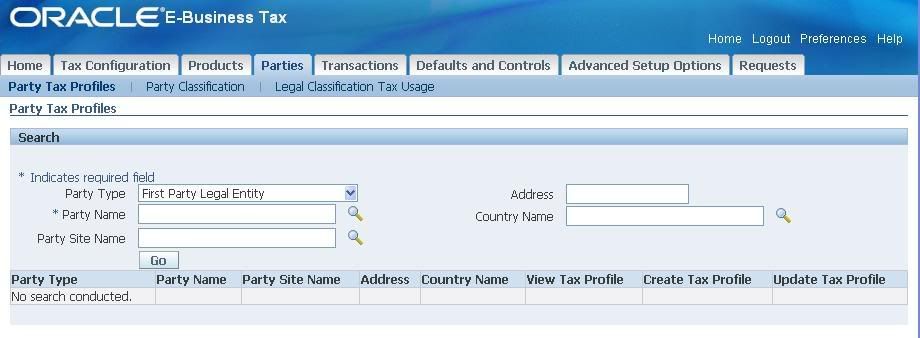
[caption id="" align="alignnone" width="920" caption="Search First Party Legal Entity - Tax Profile"]
 [/caption]
Ensure Party Types is ‘First Party Legal Entity’. Type in the Party Name and click on ‘Go’.
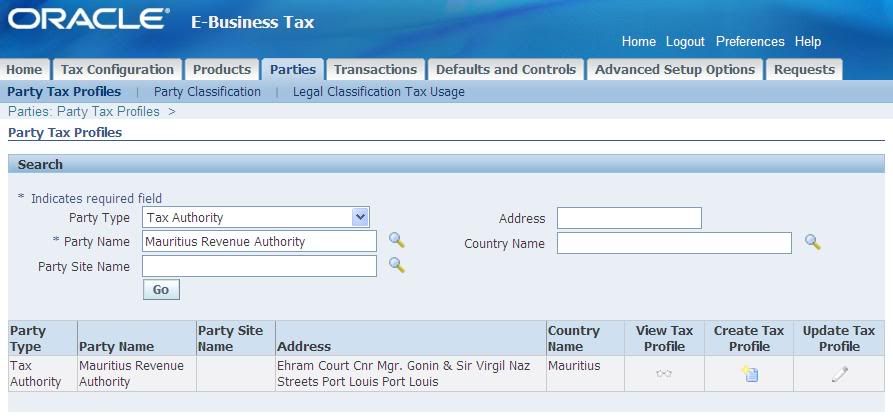
[caption id="" align="alignnone" width="893" caption="Party Tax Profiles"]
 [/caption]
Click on ‘Update Tax Profile’.
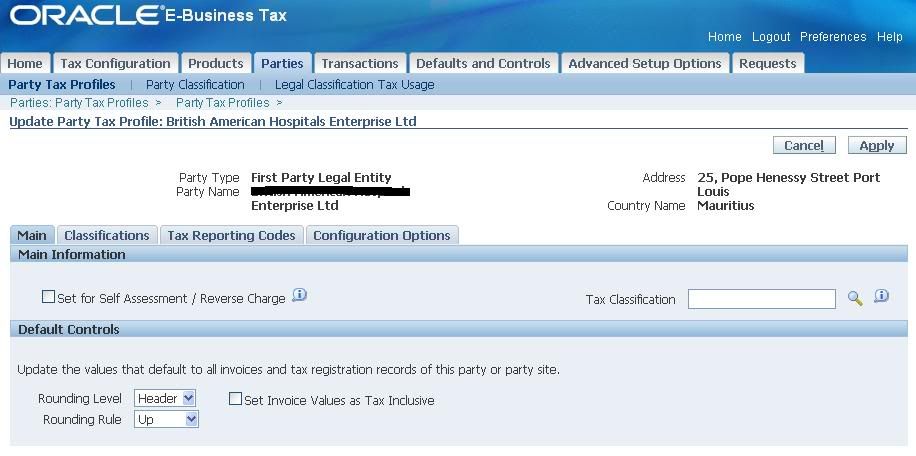
[caption id="" align="alignnone" width="916" caption="Update Party Tax Profile"]
 [/caption]
Configure the four sections as appropriate:
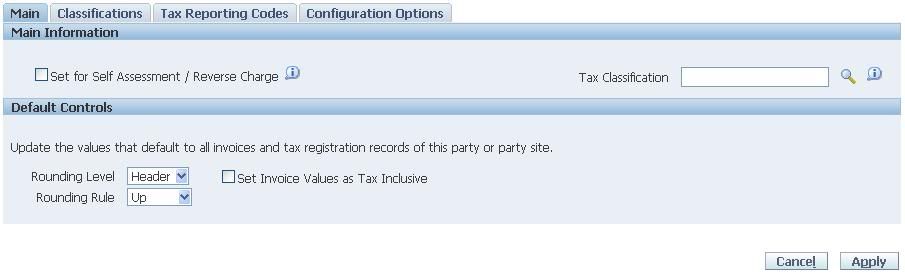
- Main:
[caption id="" align="alignnone" width="905" caption="Party Tax Profile - Main"]
 [/caption]
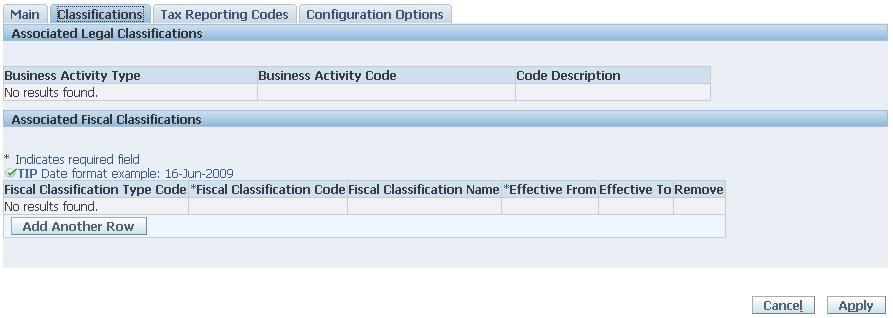
- Classifications
[caption id="" align="alignnone" width="893" caption="Party Tax Profile - Classifications"]
 [/caption]
- Tax Reporting Codes
[caption id="" align="alignnone" width="905" caption="Party Tax Profile - Tax Reporting Codes"]
 [/caption]
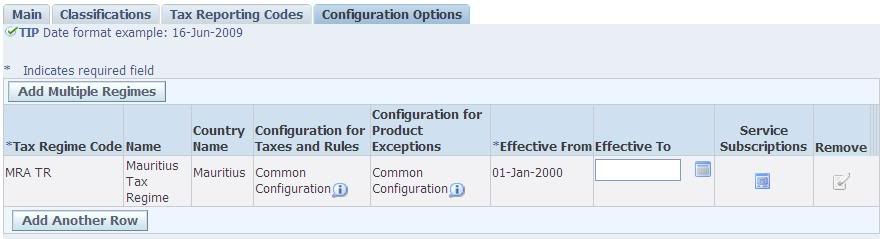
- Configuration Options
[caption id="" align="alignnone" width="885" caption="Party Tax Profile - Configuration Option"]
 [/caption]
You can see that the Tax Regime is already associated with the First Party Legal Entity.
Shameem Bauccha
1 July 2009


Hello from Russia!
ReplyDeleteCan I quote a post in your blog with the link to you?
Priviet Polprav
ReplyDeleteKaniechno moi droug.
Of course you can quote and share...
Cheers